
HP Integrated Lights-Out 2 Management Processor Scripting and Command Line Resource Guide
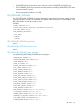
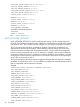
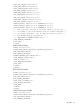
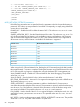
<RIB_INFO MODE="write">
……… RIB_INFO commands ……
</RIB_INFO>
Clear iLO 2 event log example:
<RIBCL VERSION="2.0">
<LOGIN USER_LOGIN="adminname" PASSWORD="password">
<RIB_INFO MODE="write">
<CLEAR_EVENTLOG/>
</RIB_INFO>
</LOGIN>
</RIBCL>
RESET_RIB
The RESET_RIB command is used to reset iLO 2. For this command to parse correctly, the command
must appear within a RIB_INFO command block, and RIB_INFO MODE can be set to read or
write. The user must have the configure iLO 2 privilege to execute this command.
Example:
<RIBCL VERSION="2.0">
<LOGIN USER_LOGIN="Admin" PASSWORD="Password">
<RIB_INFO MODE = "write">
<RESET_RIB/>
</RIB_INFO>
</LOGIN>
</RIBCL>
RESET_RIB parameters
None
RESET_RIB runtime errors
The possible RESET_RIB error message include:
User does not have correct privilege for action. CONFIG_ILO_PRIV
required.
GET_EVENT_LOG
The GET_EVENT_LOG command retrieves the iLO 2 Event Log or the Integrated Management log,
depending on the context of the command. For this command to parse correctly, the command
must appear within a RIB_INFO or SERVER_INFO command block. To retrieve the iLO 2 Event
Log, use the RIB_INFO command block. To retrieve the Integrated Management log use, the
SERVER_INFO command block.
Examples:
• iLO 2 Event Log example:
<RIBCL version="2.21">
<LOGIN USER_LOGIN="adminname" PASSWORD="password">
<RIB_INFO MODE="READ">
<GET_EVENT_LOG />
</RIB_INFO>
</LOGIN>
RIB_INFO 81