
HP Integrated Lights-Out 2 Management Processor Scripting and Command Line Resource Guide
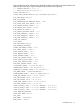
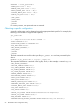
PASSWORD = "%user_password%">
<ADMIN_PRIV value = "N"/>
<REMOTE_CONS_PRIV value = "Y"/>
<RESET_SERVER_PRIV value = "N"/>
<VIRTUAL_MEDIA_PRIV value = "N"/>
<CONFIG_ILO_PRIV value = "N"/>
</ADD_USER>
</USER_INFO>
</LOGIN>
</RIBCL>
For security reasons, user passwords are not returned.
Obtaining a specific configuration
A specific configuration can be obtained using the appropriate XML input file. For example, the
following is the contents of a typical XML input file,
get_global.xml
:
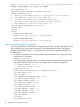
<!-- Sample file for Get Global command -->
<RIBCL VERSION="2.0">
<LOGIN USER_LOGIN="x" PASSWORD="x">
<RIB_INFO MODE="read">
<GET_GLOBAL_SETTINGS />
</RIB_INFO>
</LOGIN>
</RIBCL>
The XML commands are read from the input file get_global.xml and are processed by the
device:
HPONCFG /f get_global.xml /l log.txt > output.txt
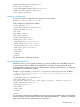
The requested information is returned in the log file, which, in this example, is named log.txt.
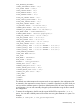
<GET_GLOBAL_SETTINGS>
<SESSION_TIMEOUT VALUE="15"/>
<ILO_FUNCT_ENABLED VALUE="Y"/>
<F8_PROMPT_ENABLED VALUE="Y"/>
<F8_LOGIN_REQUIRED VALUE="N"/>
<TELNET_ENABLE VALUE="N"/>
<PASSTHROUGH_CONFIG VALUE="1"/>
<HTTPS_PORT VALUE="443"/>
<HTTP_PORT VALUE="80"/>
<REMOTE_CONSOLE_PORT VALUE="23"/>
<TERMINAL_SERVICES_PORT VALUE="3389"/>
<VIRTUAL_MEDIA_PORT VALUE="17988"/>
<SSH_PORT VALUE="22"/>
<SSH_STATUS VALUE="Y"/>
<SERIAL_CLI_STATUS VALUE="Enabled-Authentication Required"/>
<SERIAL_CLI_SPEED VALUE="9600"/>
<MIN_PASSWORD VALUE="8"/>
<AUTHENTICATION_FAILURE_LOGGING VALUE="Enabled-every 3rd failure"/>
66 HPONCFG online configuration utility