
HP Integrated Lights-Out 2 Management Processor Scripting and Command Line Resource Guide
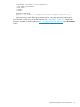
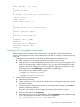
f. Verify your Web Service Extensions allows Perl scripts to execute. If not, click Web Service
Extensions and set Perl CGI Extension to Allowed.
g. Verify the prefix variable in the helper script is set correctly.
Additional information:
The basic format for the XML insert command is:
<INSERT_VIRTUAL_MEDIA DEVICE="device" IMAGE_URL="http://servername/path/to/file"/>
• The device field can be either FLOPPY or CDROM.
• The IMAGE_URL can be either an http or https URL to a diskette or CD_ROM image.
The basic format of the URL is:
protocol://user:password@servername:port/path,helper-script
where:
• protocol – Mandatory. Can be either http or https.
• user:password – Optional. When present, http basic authorization is used.
• servername – Mandatory Either the hostname or IP address of the web server.
• port – Optional. Specifies a web server on a non-standard port.
• path – Mandatory. Refers to the image file being accessed.
• helper-script – Optional. Refers to the location of the helper script on IIS web servers.
Helper script:
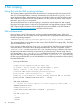
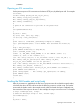
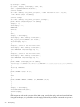
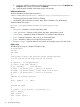
The following Perl script is a sample CGI helper script:
#!/usr/bin/perl
use CGI;
use Fcntl;
#
# The prefix is used to get from the current working directory
# to the location of the image file you are writing
#
my ($prefix) = "c:/inetpub/wwwroot";
my ($start, $end, $len, $decode);
my $q = new CGI(); # Get CGI data
my $file = $q->param('file'); # File to be written
my $range = $q->param('range'); # Byte range to be written
my $data = $q->param('data'); # Data to be written
#
# Merges the filename correctly
#
$file = $prefix . "/" . $file;
#
# Decode the range
#
if ($range =~ m/([0-9A-Fa-f]+)-([0-9A-Fa-f]+)/) {
$start = hex($1);
$end = hex($2);
$len = $end - $start + 1;
}
#
60 Virtual Media scripting