
HP Integrated Lights-Out 2 Management Processor Scripting and Command Line Resource Guide

Start and reset commands
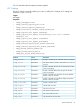
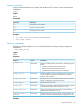
Start and reset commands enable you to power on and reboot the server containing iLO 2 or the
iLO 2 itself.
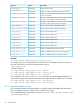
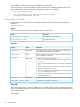
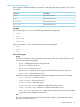
DescriptionCommand
Turns server power on
start
Turns server power off
stop
Power cycles the server
reset hard
Warm boots the server
reset soft
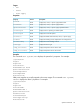
Examples
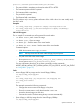
If the current target is /system1, the following commands are supported:
• start
• stop
• reset hard
• reset soft
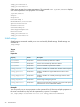
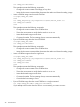
If the current target is /map1, the following commands are supported:
• reset
• reset
soft
iLO 2.00 CLI support
• power
The power command is used to change the power state of the server and is limited to users
with the Power and Reset privilege.
— power – Displays the current server power state
— power on – Turns the server on
— power off – Turns the server off
— power reset – Resets the server (server power off followed by server power on)
— power warm – Warm boots the server
Instead of using the simple commands, the following examples show the new CLP format:
◦ start /system1 – Turns the server on
◦ stop /system1 – Turns the server off
◦ reset /system1 – Resets the server
◦ reset /system1 hard – Performs a coldstart reboot of the server
◦ reset /system1 soft – Performs a warmstart reboot of the server
◦ show /system1 enabledstate – Shows the current power state, for which enabled
is powered on and disabled is powered off.
• vsp
The vsp command invokes a virtual serial port session. When in virtual serial port session,
press Esc( to return to the CLI.
Specific commands 29