
HP Integrated Lights-Out 2 Management Processor Scripting and Command Line Resource Guide

User commands
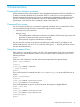
User commands enable you to view and modify user settings. User settings are located at
/map1/accounts1.
Targets
All local users are valid targets. For example, if there are three local users with the login names
Administrator, admin, and test, then valid targets would be:
• Administrator
• admin
• test
Properties
DescriptionAccessProperty
Corresponds to the iLO 2 login name.read/write
username
Corresponds to the password for the current user.read/write
password
Displays the name of the user. If a name is not specified, the parameter
uses the same value as the login name (username). This value corresponds
to the iLO 2 user name property.
read/write
name
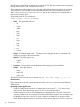
Specifies the privilege level. The valid values are as follows:read/write
group
• admin
• config
• oemhp_power
• oemhp_rc
• oemhp_vm
If a group is not specified, no privileges are assigned to the user.
Examples
The current path is /map1/accounts1.
• create username=lname1 password=password
In the example, username corresponds to the login name.
• set lname1 username=lname2 password=password1 name=name2
group=admin,configure,oemhp_power,oemhp_vm,oemhp_rc
In the example, lname1 is the login name of the user.
HP SIM SSO settings
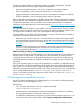
HP SIM SSO settings commands are accessed using /map1/oemhp_ssocfg1. You must have
the Configure iLO 2 Settings privilege to change these properties. SSO is only supported for browser
access from trusted HP SIM servers. SSO is a licensed feature. For more information, see the HP
Integrated Lights-Out 2 User Guide.
Targets
None
Specific commands 17