
HP Integrated Lights-Out 2 Management Processor Scripting and Command Line Resource Guide
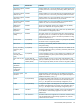
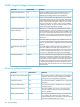
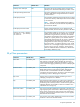
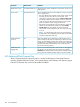

DefinitionDefault valueParameter
The blade serial number identifies the serial number for the server
blade product.
Provided by blade serverBlade serial number
The server blade enclosure can be installed in a rack by using one
of two configurations:
Rack provides powerPower source
• The server blade power supplies can be used to convert normal
AC facility power to 48 V DC to power the rack. In this
configuration, select the power source as Rack Provides Power.
This setting enables each server blade, enclosure, and power
supply to communicate power requirements to ensure proper
power consumption without risking power failures.
• If the facility can provide 48 V DC power directly, without the
need for the provided power supplies, then select Facility
Provides 48V. Each server blade will not be required to
communicate with the infrastructure for power when powering
on or off.
NOTE: It is essential that proper power sizing requirements
be performed to ensure sufficient power for all the server blades
and other components of the rack.
Each server blade can be configured to automatically power on
when inserted into the enclosure. Depending on the Power Source
OnEnable automatic
power on
setting, the server blade communicates with the rack to determine
if enough power is available to power on. If the power is available,
then the server blade automatically powers on and begins the
normal server booting process.
As the server blade receives alerts, these events can be logged to
the IML. You can view these events by using the iLO 2 System
OnEnable rack alert
logging (IML)
StatusIML tab. Additional IML viewing tools are available to allow
viewing from the installed operating system on the server blade.
iLO Advanced Pack License Key
The iLO 2 Advanced Pack License Key option is used to enable the iLO 2 Advanced Features
including Graphical Remote Console, virtual media (floppy and CD-ROM), and directory support.
Enter the 25-character key in this field to enable the features.
164 iLO 2 parameters