
HP Integrated Lights-Out 2 Management Processor Scripting and Command Line Resource Guide
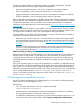
clients, using the Home or the End key enables the iLO 2 CLP service to remap the Backspace
key to use the value 0x7f, making the key functional.
In the Windows PuTTy client, the Backspace key can be mapped to a value of 0x8 by changing
the setting for Terminal Keyboard to Control-H.
Escape commands
The escape key commands are short-cuts to popular tasks.
• ESC ( – Invokes the serial CLI connection. This is not necessary for SSH or Telnet sessions
because they automatically start a CLI session after a successful login.
• ESC Q – Stops the CLI session and terminates the SSH and Telnet connection.
• ESC R ESC r ESC R – Resets the system.
• ESC ^ – Powers on the system.
• ESC ESC – Erases the current line.
There is a one-second time out for entering any of the escape sequence characters.
Base commands
• help – Displays context-sensitive help.
Entering helpdisplays all supported commands.
Entering <command help/?> displays the help message specific to that command.
• exit – Terminates the CLP session.
• cd – Sets the current default target. The context works like a directory path. The root context
for the server is "/" and this is the starting point for a CLP system. By changing the context,
you can shorten commands.
For example, to find the current iLO 2 firmware version, you could enter the show /map1/
firmware1 version command.
However, if you enter the cd /map1/firmware command, then a simple show version
command displays the information.
• show – Displays values of a property or contents of a collection target. For example:
hpiLO-> show
status=0
status_tag=COMMAND COMPLETED
/
Targets
system1
map1
Properties
Verbs
cd version exit show
The first line of information returned by the show command is the current context. In the
example, / is the current context. Following the context is a list of subtargets (Targets) and
properties (Properties) applicable to the current context. The verbs (Verbs) section shows which
commands are applicable to this context.
You can also specify the show command with an explicit or implicit context as well as a
specific property. For example, an explicit context is /map1/firmware1 and is not dependant
on the current context, while an implicit context assumes that the context specified is a child
of the current context. If the current context is /map1 then a show firmware1 command
displays the /map1/firmware data.
Escape commands 15