
HP Integrated Lights-Out 2 Management Processor Scripting and Command Line Resource Guide
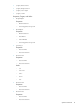
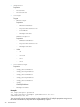
The following commands are supported in this release of CLP. The same command set is supported
through the serial port, SSH, and Telnet connections.
The privilege level of the logged in user is checked against the privilege required for the command.
The command is only executed if the privilege levels match. If the serial command line session
status is set to Enabled-No Authentication, then all the commands are executed without
checking the privilege level.
The general syntax of CLP command is:
<verb> <target> <option> <property>
• Verbs – The supported verbs are:
cd—
— create
— delete
— help
— load
— reset
— set
— show
— start
— stop
— exit
— version
• Target – The default target is the /. The target can be changed by the cd command or by
specifying a target on the command line.
• Options – The valid options are:
-help/-h—
— -all/-a
• Properties – The properties are the attributes of the target that can be modified.
• Output – The output syntax is:
status—
— status_tag
— status_msg
The valid Boolean values for any command are: yes, no, true, false, y, n, t, f
General notes
If the commands on the CLP command span more than one line, you cannot navigate between
different lines.
Operating system-specific notes
• Windows 2000 Telnet client does not support the Functions keys F1,.., F12, Insert, Home,
and End keys. These keys do not work in an iLO 2 command line session.
• The Backspace key in iLO 2 CLP implementation is mapped to the value 0x8. Some client
operating systems such as, Novell Linux Desktop and Red Hat Enterprise Linux 4 Desktop map
the Backspace key to the value 0x7f, which is used for the Delete key in Windows Telnet
client. The Backspace key does not work from a client where it has value of 0x7f. For the Linux
14 Command line