
HP Integrated Lights-Out 2 Management Processor Scripting and Command Line Resource Guide
GET_HOST_PWR_MICRO_VER return messages
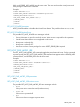
• No errors and displays version information:
<GET_HOST_PWR_MICRO_VER>
<PWR_MICRO VERSION="2.3"/>
</GET_HOST_PWR_MICRO_VER>
• Server powered off:
<GET_HOST_PWR_MICRO_VER>
<PWR_MICRO VERSION="OFF"/>
</GET_HOST_PWR_MICRO_VER>
• Power micro not supported on the server:
<GET_HOST_PWR_MICRO_VER>
<PWR_MICRO VERSION="N/A"/>
</GET_HOST_PWR_MICRO_VER>
• Failed to read power micro version:
<GET_HOST_PWR_MICRO_VER>
<PWR_MICRO VERSION="Error"/>
</GET_HOST_PWR_MICRO_VER>
GET_ONE_TIME_BOOT
The GET_ONE_TIME_BOOT command returns the one time boot status. This command must appear
within a SERVER_INFO element and SERVER_INFO must be set to read.
Example:
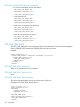
<RIBCL VERSION="2.0">
<LOGIN USER_LOGIN=" adminname" PASSWORD=" password">
<SERVER_INFO MODE="read">
<GET_ONE_TIME_BOOT/>
</SERVER_INFO>
</LOGIN>
</RIBCL>
GET_ONE_TIME_BOOT parameters
There are no parameters for this command.
GET_ONE_TIME_BOOT runtime errors
None
GET_ONE_TIME_BOOT return messages
The return message displays the one time boot status of the host.
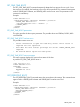
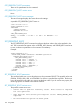
A possible GET_ONE_TIME_BOOT return is:
<?xml version="1.0"?>
<RIBCL VERSION="2.22">
<RESPONSE
STATUS="0x0000"
MESSAGE='No error'
/>
<GET_ONE_TIME_BOOT>
<BOOT_TYPE DEVICE="FLOPPY"/>
</GET_ONE_TIME_BOOT>
</RIBCL>
136 Using RIBCL