
HP Integrated Lights-Out 2 Management Processor Scripting and Command Line Resource Guide
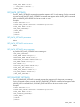
• Invalid iLO user name: The appended user name is not a valid iLO 2
user.
• No slots are available for storing additional SSH Key.
MOD_DIR_CONFIG
The MOD_DIR_CONFIG command modifies the directory settings on iLO 2. For this command to
parse correctly, the MOD_DIR_CONFIG command must appear within a DIR_INFO command
block, and DIR_INFO MODE must be set to write. The user must have the configure iLO 2 privilege
to execute this command.
Example:
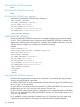
<RIBCL VERSION="2.0">
<LOGIN USER_LOGIN="adminname" PASSWORD="password">
<DIR_INFO MODE="write">
<MOD_DIR_CONFIG>
<DIR_AUTHENTICATION_ENABLED value="Yes"/>
<DIR_LOCAL_USER_ACCT value="Yes"/>
<!-- For schemaless Directory configuration, ensure that the following
settings are modified as required so that user can logon with Email
format and Netbios formats successfully:-->
<!-- 1. DIR_SERVER_ADDRESS value need to be set to directory server
DNS Name or FQDN(Full qualified Domain Name)-->
<!-- Please check and update the following iLO Network Settings. -->
<!-- 1.The domain name of iLO should match the domain of the
directory server. -->
<!-- 2.One of the primary, secondary or teritiary DNS server must
have the same IP address as the Directory server. -->
<DIR_SERVER_ADDRESS value="dlilo1.mycompu.com"/>
<DIR_SERVER_PORT value="636"/>
<DIR_OBJECT_DN value="CN=server1_rib,OU=RIB, DC=mycompu,DC=com"/>
<DIR_OBJECT_PASSWORD value="password"/>
<DIR_USER_CONTEXT_1 value="CN=Users,DC=mycompu, DC=com"/>
<DIR_USER_CONTEXT_2 value="CN=Users2,DC=mycompu, DC=com"/>
<DIR_USER_CONTEXT_3 value="CN=Users3,DC=mycompu, DC=com"/>
<!-- Firmware support information for next 12 tags -->
<!-- iLO2 1.75 and later -->
<!-- iLO - None -->
<!-- Riloe II - None -->
<DIR_USER_CONTEXT_4 value="CN=Users4,DC=mycompu, DC=com"/>
<DIR_USER_CONTEXT_5 value="CN=Users5,DC=mycompu, DC=com"/>
<DIR_USER_CONTEXT_6 value="CN=Users6,DC=mycompu, DC=com"/>
<DIR_USER_CONTEXT_7 value="CN=Users7,DC=mycompu, DC=com"/>
<DIR_USER_CONTEXT_8 value="CN=Users8,DC=mycompu, DC=com"/>
<DIR_USER_CONTEXT_9 value="CN=Users9,DC=mycompu, DC=com"/>
<DIR_USER_CONTEXT_10 value="CN=Users10,DC=mycompu, DC=com"/>
<DIR_USER_CONTEXT_11 value="CN=Users11,DC=mycompu, DC=com"/>
116 Using RIBCL