
HP Integrated Lights-Out 2 Management Processor Scripting and Command Line Resource Guide
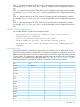
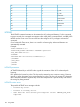
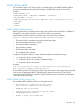
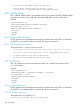
IMPORT_CERTIFICATE parameters
There are no parameters for this command.
IMPORT_CERTIFICATE errors
The possible IMPORT_CERTIFICATE error messages include:
• RIB information is open for read-only access. Write access is
required for this operation.
• Error reading certificate: The imported certificate is invalid.
• Invalid certificate common name: The common name in the certificate
does not match iLO 2's hostname.
• Certificate signature does not match private key: The certificate
does not correspond to the private key stored in iLO 2.
GET_TWOFACTOR_SETTINGS
The GET_TWOFACTOR_SETTINGS command requests the respective iLO 2 Two-Factor
Authentication settings. For this command to parse correctly, the GET_TWOFACTOR_SETTINGS
command must appear within a RIB_INFO command block, and RIB_INFO MODE can be set to
read or write.
Example:
<RIBCL VERSION="2.0">
<LOGIN USER_LOGIN="adminname" PASSWORD="password">
<RIB_INFO MODE="read">
<GET_TWOFACTOR_SETTINGS/>
</RIB_INFO>
</LOGIN>
</RIBCL>
GET_TWOFACTOR_SETTINGS parameters
None
GET_TWOFACTOR_SETTINGS runtime errors
None
GET_TWOFACTOR_SETTINGS return messages
Starting with iLO 2 1.20, users can be authenticated with a digital certificate. Depending on the
iLO 2 Two-Factor Authentication settings, the response to GET_TWOFACTOR_SETTINGS contains
different data.
Examples of GET_TWOFACTOR_SETTINGS return messages are:
Example of a Two-Factor Authentication settings return message with default settings:
<GET_TWOFACTOR_SETTINGS>
<AUTH_TWOFACTOR_ENABLE VALUE="N"/>
<CERT_REVOCATION_CHECK VALUE="N"/>
<CERT_OWNER_SUBJECT/>
</GET_TWOFACTOR_SETTINGS>
Example of a Two-Factor Authentication settings return message when SAN field in the certificate
for directory authentication is enabled:
<GET_TWOFACTOR_SETTINGS>
<AUTH_TWOFACTOR_ENABLE VALUE="Y"/>
110 Using RIBCL