
HP Integrated Lights-Out 2 Management Processor Scripting and Command Line Resource Guide
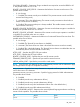
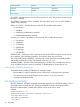
GET_FW_VERSION parameters
None
GET_FW_VERSION runtime errors
None
GET_FW_VERSION return messages
The following information is returned within the response:
<GET_FW_VERSION
FIRMWARE_VERSION = <firmware version>
FIRMWARE_DATE = <firmware date>
MANAGEMENT_PROCESSOR = <management processor type>
/>
HOTKEY_CONFIG
The HOTKEY_CONFIG command configures the remote console hot key settings in iLO 2. For this
command to parse correctly, the command must appear within a RIB_INFO command block, and
RIB_INFO MODE must be set to write. The user must have the configure iLO 2 privilege to execute
this command.
Uppercase letters are not supported, and are converted automatically to lowercase. If you use
double or single quotes, it must be different from the delimiter. Specifying a blank string removes
the current value.
For a complete list of supported hotkeys, see “Supported hot keys” (page 101).
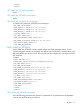
Example:
<RIBCL VERSION="2.0">
<LOGIN USER_LOGIN="adminname" PASSWORD="password">
<RIB_INFO MODE="write">
<HOTKEY_CONFIG>
<CTRL_T value="CTRL,ALT,ESC"/>
<CTRL_U value="L_SHIFT,F10,F12"/>
<CTRL_V value=""/>
<CTRL_W value=""/>
<CTRL_X value=""/>
<CTRL_Y value=""/>
</HOTKEY_CONFIG>
</RIB_INFO>
</LOGIN>
</RIBCL>
HOTKEY_CONFIG parameters
All of the following parameters are optional. If a parameter is not specified, then the parameter
value for the specified setting is preserved.
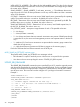
CTRL_T – Specifies settings for the CTRL_T hot key. The settings must be separated by commas. For
example, CTRL_T="CTRL,ALT,ESC." Up to five keystrokes can be configured for each hot key.
CTRL_U – Specifies settings for the CTRL_U hot key. The settings must be separated by commas.
For example, CTRL_U="CTRL,ALT,ESC." Up to five keystrokes can be configured for each hot
key.
100 Using RIBCL