
HP Intelligent Management Center v7.0 VAN Fabric Manager Administrator Guide
8. Click Back to go back to the RB List page.
Synchronizing RBs
You can synchronize the configuration information of RBs to VFM.
To synchronize RB configurations to VFM:
1. Open the RB List page.
2. Select the target RBs.
3. Click Synchronize.
4. After a while, click Refresh to view the synchronization results.
The Last Sync field displays the time when the synchronization is complete, and the Sync Status
field displays whether VFM successfully obtained the TRILL configuration from the RB.
5. Move your cursor over the Failure link of an RB that VFM fails to synchronize to view the failure
reason.
Deleting RBs
Deleting an RB from the TRILL module does not delete it from the DC module.
To delete RBs from the TRILL module:
1. Open the RB List page.
2. Select the RBs you want to delete.
3. Click Delete.
A confirmation dialog box appears.
4. Click OK.
Modifying the TRILL configuration of RBs in batches
VFM allows you to modify the Maximum LSP Ageand LSP Refresh Interval of RBs in batches.
To modify the TRILL configuration of RBs in batches:
1. Open the RB List page.
2. Select the target RBs.
3. Click Batch Configure.
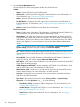
The Batch Configure Parameters window appears.
4. Configure the following parameters:
• Maximum LSP Age (Seconds)—Specify the maximum age of LSPs. An LSP originated by
an RB uses the maximum age as the remaining lifetime. When the remaining lifetime of
an LSP in the LSDB is 0 seconds, the RB removes the LSP's content, keeps the LSP's digest,
and purges the LSP from the network by advertising the LSP that has the remaining lifetime
set to 0.
• LSP Refresh Interval (Seconds)—Specify the LSP refresh interval. When the remaining
lifetime of a locally originated LSP is no greater than (Maximum LSP age – LSP refresh
interval), the LSP is refreshed even if no change occurs to it. This mechanism avoids
frequent LSP aging and ensures network stability.
5. Click OK.
Modifying TRILL configuration of an RB
You can also modify the TRILL configuration of an individual RB.
To modify the TRILL configuration of an individual RB:
1. Open the RB List page.
Managing RBs 81