
HP Intelligent Management Center v7.0 VAN Fabric Manager Administrator Guide

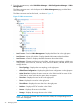

4. Click the Switch tab. The FCoE switch list for the fabric appears.
FCoE switch list buttons
• Import—Imports FCoE switches to the fabric.
• Synchronize—Synchronizes FCoE switches to VFM.
• Delete—Deletes FCoE switches from the fabric.
• Configure DCBX—Two options are available: Deploy DCBX and Undeploy DCBX. The
Deploy DCBX allows you to deploy global DCBX parameters to the FCoE switches in VFM.
For more information, see "Deploying global DCBX parameters to FCoE switches." The
Undeploy DCBX function allows you to undeploy the global DCBX parameters that have
been deployed to FCoE switches. For more information, see "Undeploying global DCBX
parameters from FCoE switches."
NOTE: DCBX parameters in VFM include global DCBX parameters and interface DCBX
parameters. Global DCBX parameters take effects on a switch globally, and interface
DCBX parameters take effects on a specific interface.
• Refresh—Retrieves the latest FCoE switch list.
FCoE switch list contents
• Status—Display the FCoE switch-related alarm states in IMC Platform. For information,
see HP IMC Base Platform Administrator Guide.
• Device Name—Name of the FCoE switch. By default, this field is displayed as "device
label+device IP." The device label is the device label in the IMC Platform for the FCoE
switch. The device IP is the IP address the FCoE switch uses when it is added to the IMC
Platform.
• WWN—WWN of the FCoE switch. The WWN is initialized by the manufacture.
• Port Count—Number of interfaces on the FCoE switch. This field is read from the IMC
Platform.
• DCBX—Includes the following icons:
◦ The first icon indicates whether the global DCBX parameters in VFM have been
deployed to the FCoE switch. The icon indicates yes, and the icon indicates
no.
◦ The second icon indicates whether the global DCBX parameters in VFM and on the
FCoE switch are consistent. The icon indicates yes, and the icon indicates
no. The icon is also a link to the global DCBX parameters in VFM and on the FCoE
switch. For more information, see "Viewing and comparing the global DCBX
parameters in VFM and on the FCoE switch."
◦ The third icon is a link to enter the page for configuring global DCBX parameters.
For more information, see "Configuring global DCBX parameters for a single switch
in VFM."
• Last Sync—Time when the last synchronization between the FCoE switch and VFM was
completed.
• Sync Status—Indicates whether the last synchronization between the FCoE switch and
VFM was successful.
• Details—Provides the link to the FCoE configuration and port information of the FCoE
switch.
40 Managing SANs