
HP Intelligent Management Center v7.0 VAN Fabric Manager Administrator Guide


3. Click Refresh.
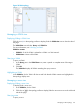
The latest VM migration record list appears.
VM migration record list contents
• VM Name—Name of the migrated VM. Click the name to view its details.
• Source Server—Name of the server from which the VM migrates. Click the name to view
its details.
• Destination Server—Name of the server to which the VM migrates. Click the name to
view its details.
NOTE: The VM/server name field displays VM/server label + VM/server IP by default.
The label and IP address of the VM/server are available on the IMC Platform. For more
information, see HP IMC Base Platform Administrator Guide.
• Start Time—Date on which the VM starts to migrate, in YYYY-MM-DD format.
• End Time—Date on which the VM completes migration, in YYYY-MM-DD format.
• Duration (Seconds)—Migration duration of the VM.
• EVI Service—Name of the EVI service to which the VM belongs. Click the name to view
its basic information and topology page. For more information, see "Viewing basic
information and topology of an EVI service."
• Migration Replay—Click the Replay icon to replay the migration process of the VM.
For more information, see "Replaying a migration."
Querying migration records of a VM
To query migration records of a VM, use one of the following methods:
Method 1
1. Enter the name of a VM in the query field.
VFM supports fuzzy matching for this field.
2. Click the Search icon .
Method 2
1. Click the Unfold icon , and specify one or more of the following query criteria:
• VM Name—Enter the name of the target VM. VFM supports fuzzy matching for this field.
• EVI Service—Enter the name of the EVI service to which the VM belongs. VFM supports
fuzzy matching for this field.
• Source Server—Enter the name of the server from which the VM migrates. VFM supports
fuzzy matching for this field.
• Destination Server—Enter the name of the server to which the VM migrates. VFM supports
fuzzy matching for this field.
• Start Time/End Time—Click the Start Time or End Time field to set time in a calendar for
the migration. Specify a start time and an end time for the migration. Only the migration
records within the specified time range are queried.
Empty fields are ignored.
2. Click Query.
All matching migration records are displayed in the VM migration record list.
Managing VM migration information 139