
Insight Environmental Configuration User Guide


Creating a project 94
1.
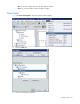
Select View> View Options. The View Options window appears.
2. Select the Preset tab.
3. Select options you want to display on the floor plan:
o All—Displays all objects configured in the project
o None—Displays only the background image
o Power & Energy—Displays only the power and energy objects configured in the project