
Insight Environmental Configuration User Guide





Creating a project 85
c.
In the MAC ID property, enter the MAC ID, including any leading zeros.
• To assign a MAC ID using the MAC Assign tool:
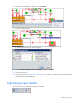
a. Select the MAC Assign tool icon.
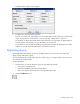
The Input window appears.
b. Select the base station object in the floor plan.
c. Scan the bar code on the base station associated with the base station object in the floor plan.
d. Repeat for all objects.
Rotating the rack orientation
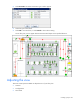
The arrow point on each rack object must point to the cold aisle, or intake side, of the rack.
If the scale is set correctly, the arrow length represents a 0.6m (2 ft) segment of the data center floor. If
the arrow is shorter or longer than the 0.6 m (2 ft) scale, then see Setting the background scale (on page
10).
To rotate a rack object to face the correct direction:
1. Select the Rotation tool icon.