
Insight Environmental Configuration User Guide





Creating a project 82
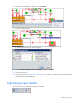
• Select
• Rotate
• Associate
• Duplicate
• Quick Name
• MAC Assign
You can also select any sensor object on the floor plan and select one of the options from the right-click
menu.
Naming objects
Each object on your floor plan must have a unique name.
To name each object using the Select tool:
1. Select an object using the Select tool.
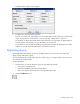
2. Edit the Name property to give the object a unique name.
To name each object using the Quick Name tool:
1. Select an object.
2. Select the Quick Name tool.