
Insight Environmental Configuration User Guide





Creating a project 81
11.
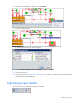
Right-click the PUE Reporter, and then select Associate.
12. Select the Lighting object.
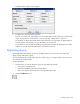
The Select Association Type window appears.
13. Select User Value Lighting Power Contributions, and then select OK.
14. Save the project file.
15. Export the project ("Exporting the configuration file" on page 96) to begin receiving PUE data in the
HP Insight Environmental Observer.
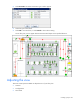
Adjusting project details
The shortcut icons are located in the Quick Tool toolbar.