
Insight Environmental Configuration User Guide






Creating a project 78
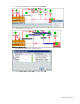
Configuring total power using PUE Reporter
You must configure Power Loss ("Configuring power loss" on page 69), IT Power ("Configuring IT power"
on page 74), Cooling Power ("Configuring cooling power" on page 75), and Lighting Power
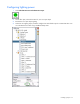
("Configuring lighting power" on page 77) before you can configure total power.
1. Verify that you have added a PUE Reporter ("Adding a PUE reporter" on page 57) to your project.
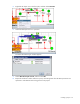
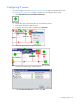
2. Right-click the PUE Reporter, and then select Associate.
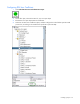
3. Select the Cooling Power object.
The Select Association Type window appears.
4. Select Resulting Sum Cooling Power Contributions, and then select OK.