
Insight Environmental Configuration User Guide





Creating a project 68
1.
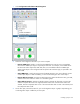
Select Configurations>Calculations>Inspectors.
2. Select the inspector object you want to compute:
o Calculation inspector—View power data collection points on the Custom Metrics tab
o Status inspector—View device status data collection points on the Custom Metrics tab
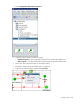
3. On the floor plan, select the location for the inspector object.
4. Rename the inspector object to indicate what it is inspecting.
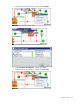
5. Right-click the inspector object, and then select Associate.