
Insight Environmental Configuration User Guide






Creating a project 49
2.
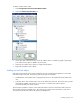
Select the Dual Flow Energy Meter icon.
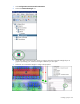
3. On the floor plan, select the location where the dual-flow energy meter is installed. A graphic
representing your energy meter is added to your floor plan.
4. Select the new sensor object to configure the properties for the dual-flow energy meter.
5. Repeat for all dual-flow energy meter locations.
Adding a BCMS Panel object
A BCMS panel sensor monitors the current of each circuit of a PDU. The measurements are then used to
calculate PUE data. There are two BCMS sensors available:
NOTE: This sensor is no longer an active component, however, HP does support legacy
configurations.
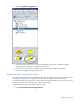
• PDI BCMS Panel—Measures up to 42 circuits. Only available for legacy configurations.
• Square D BCMS Panel—Measures up to 42 circuits on a single panel or 84 circuits on two panels,
and then provides data readings of current, power, and power factor for each individual circuit.