
Insight Environmental Configuration User Guide






Creating a project 48
2.
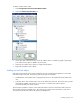
Select the Single Flow Energy Meter icon.
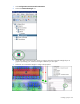
3. On the floor plan, select the location where the single-flow energy meter is installed. A graphic
representing your energy meter is added to your floor plan.
4. Select the new sensor object to configure the properties for the single-flow energy meter.
5. Repeat for all single-flow energy meter locations.
Adding a dual-flow energy meter object
A dual-flow energy meter measures the difference of temperature between two water pipe inlet points and
two water pipe outlet points, as well as the water flow rates, to determine the amount of energy
consumed. The dual-flow energy meter is used in facilities that have redundant water loops to measure the
energy consumed on both water pipe loops used to cool the facility.
To add a dual-flow energy meter object to your floor plan:
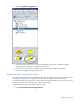
1. Select Configurations>Power & Energy>Wireless.