
Insight Environmental Configuration User Guide






Creating a project 46
2.
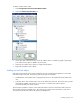
Select the Energy icon.
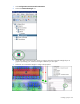
3. On the floor plan, select the location where the energy sensor is installed. A graphic representing
your energy object is added to your floor plan.
4. Double-click the new energy object to configure the properties for the energy sensor.
5. Repeat for all energy sensor locations.
Adding a 3-collar CT object
A 3-collar CT sensor collects the amount of current, or total power, used by a three phase power device.
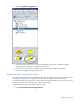
To add a 3-collar CR sensor object to your floor plan:
1. Select Configurations>Power & Energy>Wireless.