
Insight Environmental Configuration User Guide






Creating a project 45
5.
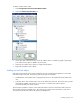
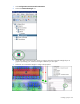
Manually adjust the length and width properties of the contained rectangle to match the physical
dimensions of the containment area.
6. Repeat for all contained rectangle locations.
Adding a power and energy object
There are two kinds of power and energy objects:
• Wireless—A physical device that communicates its data over a wireless network.
• Wired—A physical device that is hard-wired (Modbus/TCP) to communicate directly to a network.
Power and energy objects are added to a zone ("Creating zones" on page 24).
Adding an energy object
NOTE: This sensor is no longer an active component, however, HP does support legacy
configurations.
An energy sensor collects and monitors the energy usage of a component.
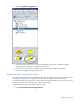
To add an energy sensor object to your floor plan:
1. Select Configurations>Power & Energy>Wireless.