
Insight Environmental Configuration User Guide






Creating a project 44
1.
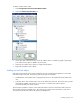
Select Configurations>Environmentals>Containment.
2. Select the Contained Rectangle icon.
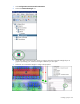
3. On the floor plan, select the location where you want to place the contained rectangle object. A
graphic representing your contained rectangle is added to your floor plan.
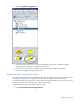
4. Select the new contained rectangle to configure the properties.