
Insight Environmental Configuration User Guide




Creating a project 35
c.
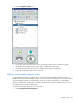
Select the PDU panel from the left column to the virtual PDU object panel number in the right
column.
d. Select OK to save and close, or select Cancel to close without saving.
On the floor plan, an arrow appears between the associated PDU objects, in the direction
specified.
6. Repeat for all virtual PDU object locations.
Adding a Modbus integrator
A Modbus integrator is used to configure any non-ION power meter using a Modbus data source. There
are two Modbus integrators available:
• Modbus Integrator—The non-ION power meter uses a single 16-bit Modbus register data point. The
standard data point is 40791.
• Modbus Integrator 32—The non-ION power meter uses two 16-bit Modbus register data points,
totaling 32-bits. The standard data points are 40791 and 40792.
To add a Modbus integrator to your floor plan:
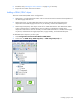
1. Select File>Load Component Library. For more information, see Component libraries (on page 100).
2. Browse to the component libraries.