
Insight Environmental Configuration User Guide






Creating a project 29
3.
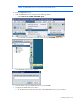
On the floor plan, select the location where the gateway is installed. A graphic representing your
gateway object is added to your floor plan.
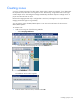
4. Select the new gateway object to configure the properties for the gateway.
o Name—If you have multiple gateways, then you must change the name of each gateway to be
unique. HP recommends that you use gateway names that help identify the object on the floor
plan.
o Unique ID—Each gateway within a WSN configuration must have a unique number associated
with it. (Example: 1, 2, 3, 4, and so on.)
NOTE: In the value string, be careful to follow these recommendations:
• Start each IP address with TCP:.
• Separate each IP address with a comma.
• Do not leave any empty spaces.
o Gateway Address—The IP address of the gateway.
— For a single gateway, the format is TCP:111.222.333.444, replacing the numbers with the
actual IP address.
— For multiple gateways, the format is TCP:111.222.333.444,TCP:555.666.777.888,
replacing the numbers with the actual IP addresses.
o Location—(Optional) Add the exact location for reference purposes.
5. Repeat for all gateway locations.
Adding a leak detector object
A Leak Detector sensor is a two-wire sensor that detects the presence of liquid.
To add a leak detector object to your floor plan:
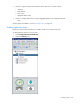
1. Select Configurations>General>Wireless.