
Insight Environmental Configuration User Guide






Creating a project 27
3.
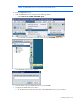
On the Devices tab, double-click the calculation group you want to adjust.
4. Set the calculation group properties.
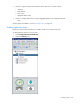
o Name—The name of the calculation group that appears in the HP Insight Environmental
Observer Navigation panel.
o Description—Additional descriptive information about the calculation group that appears when
you scroll over the calculation group in the HP Insight Environmental Observer Navigation panel.
o Configuration—The configuration of the group (calculation group).
Placing objects
You must place objects on the background image floor plan to have an accurate representation of all
physical objects within your data center. Each object represents the configuration, location, and
orientation of a sensor object.
To place an object:
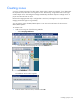
1. In the left window, select the category and object you want to place on the image.
2. On the floor plan, select the location where you want to place the object.
3. Repeat for each object you want to place on the floor plan.
Adding a general object
There are two kinds of general objects: