
Insight Environmental Configuration User Guide






Creating a project 25
3.
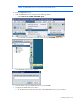
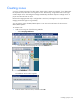
On the Devices tab, double-click the zone you want to adjust.
4. Set the zone properties.
o Border Pixels—The amount of the image included in the rectangle used for the floor plan in the
HP Insight Environmental Observer. The Configurator trims the rectangle to include only objects
within the zone. The default value is 10 pixels. The Configurator adds an additional 10 pixels in
each direction beyond the rectangle that includes all objects in that zone. To include the entire
data center in the zone, set Border Pixels to 150.
o LI Border Pixels—The amount of transparency included in the HP Insight Environmental Imaging
Server beyond the rectangle that includes the objects in a zone. To include all the transparent
areas, set the LI Border Pixels to 100 or more.
o Name—The name of the zone that appears in the HP Insight Environmental Observer Navigation
panel.
o Description—Additional descriptive information about the zone that appears when you scroll
over the zone in the HP Insight Environmental Observer Navigation panel.
o Configuration—The configuration of the group (zone configuration).
Creating calculation groups
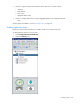
A calculation group is a conceptual group that contains all of the PUE objects on your floor plan. You can
have multiple calculation groups per project, organizing PUE data into separate categories, such as