
Insight Environmental Configuration User Guide





Creating a project 13
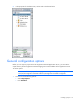
The General Configuration Options window appears.
2. Enter the Environmental Application Server Host IP address. If the HP Insight Environmental Imaging
Server is installed on the same server as the Application Server, the IP address is 127.0.0.1 or
localhost. If they are installed on different servers, you must specify the actual IP address for the
Environmental Application Server.
3. Select the unit measurement type.
4. Select OK to save and close, or select Cancel.
Creating a data source
A data source represents the type of communication between a sensor device and the Application server.
The type of connection indicates how the sensors are collecting and sending data to the server. You must
create a data source before you can place any objects from the data source category on your floor plan.
NOTE: SOAP Service and Web Service are not supported data sources.
The following types of data sources are available:
• WSN
• Wired
• Modbus (RTU, TCP)
• SNMP (v1, v2, v3)
• SOAP Service
• WebService Host
A WSN data source must include at least one gateway, but it can have more gateways for redundancy or
to speed the wireless data collection process. HP recommends installing at least two wireless gateways for
each WSN data source.
Only an Advanced or Expert user can add a data source. For more information, see Selecting the user
level (on page 6).
Creating a WSN data source
A WSN data source is a network of wireless base stations that are associated to a single PAN ID. The
network communicates by passing data to the closest gateway. Each WSN data source must have at least