
Insight Environmental Configuration User Guide





Creating a project 12
2.
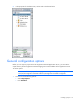
In the properties for the data center, set the scale to the desired value.
General configuration options
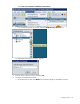
Before you can export a project to the HP Insight Environmental Application Server, you must set the
output directory for HP Insight Environmental Imaging Server and IP address of the Application Server.
To set the options:
NOTE: The default output path for Imaging Server background images is C:\Program
Files\HP\HP Insight Environmental Software\HP Insight Environmental Configurator.
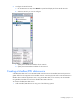
1. Choose one of the following options:
o Select Setup>Options.
o Press Ctrl+Alt+O.