
Insight Environmental Configuration User Guide




Appendix 114
4.
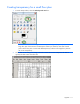
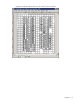
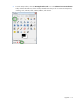
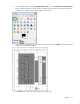
Select all of the areas that you do not want to be transparent, and press Delete. The transparent area
appears in a checkerboard pattern.
NOTE: To receive the best quality in the HP Insight Environmental Observer, save the
background image to the resolution closest to your computer. For example, if your computers
are set to 1920x1200 displays, then save your background image to the same 1920x1200
resolution. Any resolution larger than 2879 pixels is automatically resized by Observer down
to 2879 pixels.
5. Select File>Save As, and rename the file so that you can differentiate the transparent file from the
original file. HP recommends naming the file <datacenter_name>_trans.png.