
Insight Environmental Configuration User Guide





Creating a project 11
1.
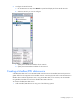
Select Setup>Set background scale.
The following message appears.
NOTE: The standard floor tile is approximately 0.6 m (2 ft) and can be used for a reference
point when setting the background scale.
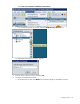
2. Select a location on the background to establish an anchor, and then select another point
approximately 0.6 m (2 ft) away from the anchor point.
3. Repeat steps 1-2 as necessary.
To manually set the scale using metric units:
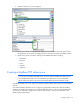
1. On the Groupings tab, select the appropriate data center.