
Installation Guide, Second Edition - HP Carrier Grade Blade Server bh3710

Chapter 5
hp Carrier Grade Server bh3710 Server Blade Installation Information
bp2200 Server Blade
5-13
Rebooting to the HP-UX Prompt
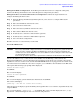
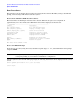
HP-UX can be restarted as shown in the following steps:
Step 1. Telnet to the MP IP.
Step 2. Log in to the MP using the assigned login name and password.
Step 3. Press
Enter then type Ecf (“Ecf ” is case-sensitive. Capitalize the E, only) and press Enter for write
access.
Step 4. When the MP prompt appears, type rs to reset the server and start a system reboot.
CAUTION Do not use the reset command (rs) while the HP-UX Operating System is running. Use the rs
command only after an orderly operating system shutdown has been accomplished with the
/etc/shutdown -h entry or if the server blade will not respond to console commands. Failure
to observe this precaution may cause file system corruption.