
- Hewlett-Packard 17-inch Color Monitor User's Guide



English 5
HP 17” Color Monitor User’s Guide
Using Your Monitor
Using Your Monitor
The on/off switch is on the front of the monitor.
You can adjust the quality, position, size and shape of the displayed
image using the controls on the front of the monitor to operate the
on-screen menus.
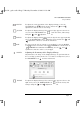
Pressing the button activates the monitor’s on-screen main menu.
This menu contains the monitor’s various adjustment features.
You can select a feature using the and controls to scroll to
the adjustment feature you require and pressing to access its
menu.
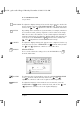
To adjust the required feature, use the and controls until the
desired changes are complete.
Access Function
Exit Menu
Brightness
Control buttons.
On/Off Switch
galoo.bk : galoo-us.fb4 Page 5 Monday, November 9, 1998 11:23 AM