
Reference Guide ProtectTools Security Manager
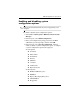
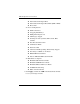
Table Of Contents
- Reference Guide
- Contents
- Introduction
- Smart Card Security for ProtectTools
- Java Card Security for ProtectTools
- Embedded Security for ProtectTools
- BIOS Configuration for ProtectTools
- Credential Manager for ProtectTools
- Glossary
- Index

5–4 Reference Guide
BIOS Configuration for ProtectTools
◆ Internal Network Adapter Boot
◆ Internal Network Adapter Boot Mode (PXE or RPL)
◆ Boot Order
❏ Device Configurations
◆ NumLock at Boot
◆ Swapping Fn/Ctrl Keys
◆ Multiple Pointing Devices
◆ USB Legacy Support
◆ Parallel port mode (standard, bidirectional, EPP,
or ECP)
◆ Data Execution Prevention
◆ SATA Native Mode
◆ Dual Core CPU
◆ Automatic Intel® SpeedStep Functionality Support
◆ Fan Always on While on AC Power
◆ BIOS DMA Data Transfers
◆ Intel or AMD PSAE Execution Disable
❏ Built-In Device Options
◆ Embedded WLAN Device Radio
◆ Embedded WWAN Device Radio
◆ Embedded Bluetooth® Device Radio
◆ LAN/WLAN Switching
◆ Wake on LAN from Off
5. Click Apply, and then click OK in the ProtectTools window
to save your changes and exit.