
Power


Battery packs
Power 7–5
Charging multiple battery packs
Multiple battery packs in the system charge and discharge in a
preset sequence:
■ Charge sequence:
1. Primary battery in the computer battery bay
2. Optional accessory battery
■ Discharge sequence:
1. Optional accessory battery
2. Primary battery in the computer battery bay
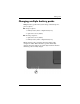
While a battery pack is charging, the battery light on the
computer is amber. When the battery pack is almost fully
charged, the battery light is green. The light is turned off when
all battery packs are fully charged.