
Power

Power 5–1
5
Power options
You can change many default power settings in Windows Control
Panel. For example, you can set an audio alert to warn you when
the battery pack reaches a low-power condition, or you can
change the default settings for the power switch.
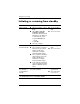
By default, when the computer is on:
■ Pressing fn+f3, called the “sleep button” in the operating
system, initiates standby.
■ By default, the display switch turns off the display. The
display switch is activated by closing the display.
✎
When HP Mobile Data Protection has “parked a drive,” the
computer will not initiate standby or hibernation, and the
display will be turned off.
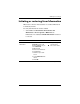
Accessing Power Options Properties
To access Power Options Properties:
■ Right-click the Power Meter icon on the notification area,
at the far right of the taskbar, and then click Adjust Power
Properties.
– or –
■ Select Start > Control Panel > Performance and
Maintenance > Power Options.