
Power

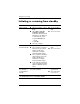
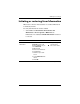
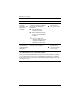

Default power settings
Power 4–3
Using emergency shutdown
procedures
Ä
CAUTION: Emergency shutdown procedures result in the loss of
unsaved information.
If the computer is unresponsive and you are unable to use normal
Windows shutdown procedures, try the following emergency
procedures in the sequence provided:
■ Press ctrl+alt+delete. Then, select Shut Down > Turn Off.
■ Slide the power switch toward the front of the computer and
hold for at least 5 seconds.
■ Disconnect the computer from external power and remove the
battery pack. For more information about removing and
storing the battery pack, refer to “Battery packs.”