
Pointing Devices and Keyboard

Keyboard
Pointing Devices and Keyboard 2–5
Decrease screen brightness (fn+f9)
Press fn+f9 to decrease screen brightness. Hold down the hotkey
to decrease the brightness level incrementally. Decreasing screen
brightness conserves battery power.
Increase screen brightness (fn+f10)
Press fn+f10 to increase screen brightness. Hold down the hotkey
to increase the brightness level incrementally.
Activate the ambient light sensor (fn+f11)
Press fn+f11 to turn on and off the ambient light sensor. For more
information about the ambient light sensor, refer to “Setting the
ambient light sensor” section in this chapter.
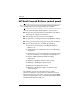
Display and clear system information
(fn+esc)
Press fn+esc to display information about system hardware
components and the system BIOS version number.
In the Windows fn+esc display, the version of the system BIOS
(basic input-output system) is displayed as the BIOS date. On
some computer models, the BIOS date is displayed in decimal
format. The BIOS date is sometimes called the system ROM
version number.
» To clear the fn+esc display, press esc or click OK.