
Pointing Devices and Keyboard - Windows Vista

2–14 Pointing Devices and Keyboard
Keyboard
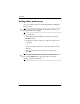
3. In the Add New Menu Entry dialog box, you can add the
item by typing or by browsing:
❏ To add the item using the keyboard, type a name for the
item in the Display Name box and type the path to
the item in the File Name box. If you prefer to type the
Display Name, but browse for the File Name, leave
the File Name box blank.
❏ To add an item by browsing, click the Browse button.
In the window, select the item. (The full name of the item
is displayed in the File Name box and, if you did not type
a name earlier in the Display Name box, a Display Name
is generated from the item name and displayed in the
Display Name box.)
4. To save your preferences and close the dialog box, click
Apply, and then click OK.