
Pointing Devices and Keyboard - Windows Vista
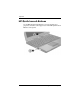

Keyboard
Pointing Devices and Keyboard 2–9
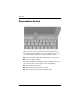
If you choose not to use the presentation button default settings,
you can reprogram the button to perform one of the following
actions:
■ Open the Q Menu or the Info Center.
■ Open an e-mail editor.
■ Open a search box that allows you to search for a Web site.
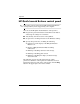
Info Center button
When you press the Info Center button 1 for the first time, the
Info Center opens, enabling you to open preset software
solutions. If you choose not to use this default setting for the Info
Center button, you can reprogram the button to perform one of
the following actions:
■ Open the Q Menu or start the presentation feature.
■ Open an e-mail editor.
■ Open a search box that allows you to search for a Web site.