
Notebook Tour - Windows Vista

Components
Notebook Tour 1–11
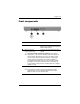
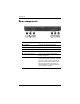
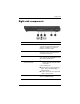
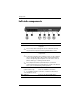
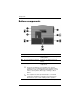
Right-side components
Component Description
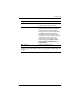
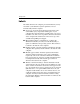
1 Audio-out (headphone) jack Produces computer sound when
connected to optional powered stereo
speakers, headphones, ear buds, a
headset, or television audio.
2 Audio-in (microphone) jack Connects an optional computer headset
microphone, stereo array microphone,
or monaural microphone.
3 Powered USB port Provides power to a USB device, such
as an optional external MultiBay, if used
with a powered USB cable.
4 PC Card slot or optional
smart card reader
✎
On select models, the PC Card
slot may be replaced by the smart
card reader.
If your computer has:
■ a PC Card slot, it supports optional
Type I, Type II, 32-bit (CardBus), or
16-bit PC Cards.
■ a smart card reader, it accepts smart
cards or Java™ Cards.
5 Digital Media Slot Accepts SD (Secure Digital) Memory
Cards or MultiMediaCards.