
Multimedia - Windows Vista



Multimedia software
Multimedia 2–3
Using multimedia software
To use the multimedia software installed on the computer:
1. Select Start > All Programs, and then open the multimedia
program you want to use. For example, if you want to use
Windows Media Player to play an audio CD, select Windows
Media Player.
✎
Some programs may be located in subfolders.
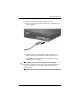
2. Insert the media disc, such as an audio CD, into an optional
external optical drive connected to the computer.
3. Follow the instructions on the screen.
– or –
1. Insert the media disc, such as an audio CD, into an optional
external optical drive.
An AutoPlay dialog box opens.
2. Click a multimedia task from the list of tasks.