
Modem and Local Area Networks
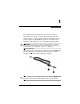
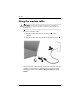
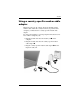
Table Of Contents
2 Modem and Local Area Networks
Modem
Using the modem cable
Å
WARNING: To reduce the risk of electric shock, fire, or damage to
the
equipment, do not plug a modem or telephone cable into the RJ-45
(network) jack.
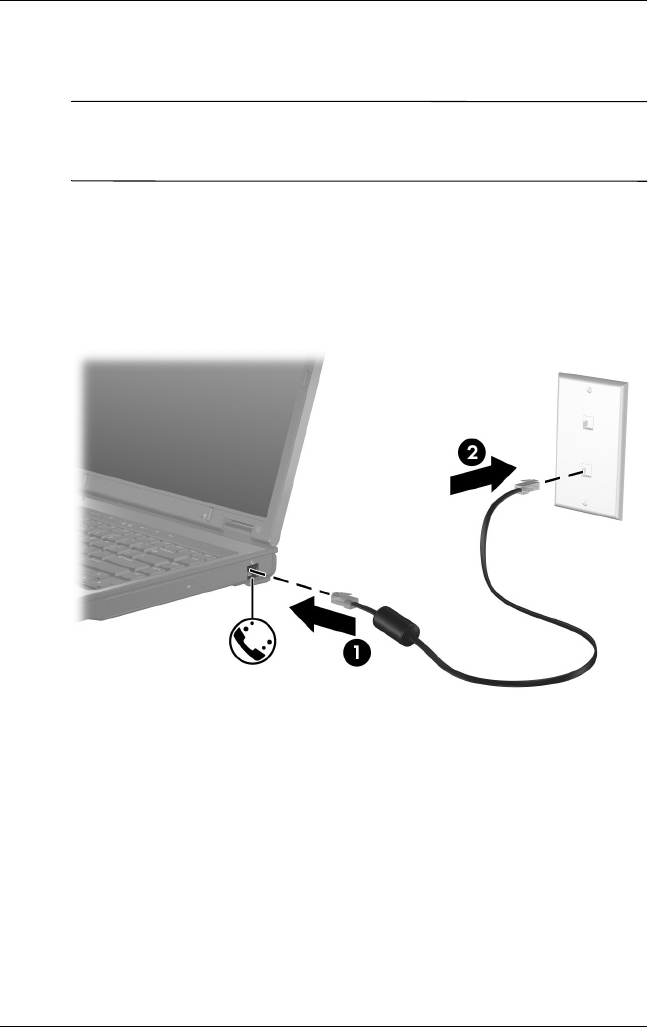
To connect a modem cable:
1. Plug the modem cable into the modem jack 1 on the
computer.
2. Plug the modem cable into the RJ-11 telephone wall jack 2.
On select models, information about modem commands and dial
modifiers is included in the modem guides located in the Help
and Support Center. Select Start > Help and Support > User
Guides.