
Memory Modules

Adding or replacing memory modules
Memory Modules 1–7
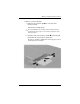
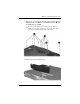
7. Remove 11 screws from the bottom of the computer: the four
T8M2.0x18.0 screws 1, the six T8M2.0x9.0 screws 2, and
one T8M2.0x5.0 screw 3.
Ä
The screws in the bottom of the computer are of different
lengths. To protect the computer, be sure to keep track of the
screws by size and location for safe replacement.
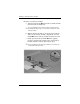
8. Remove the base enclosure cover.