
Memory Modules

Adding or replacing memory modules
Memory Modules 1–5
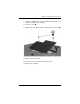
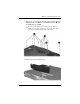
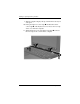
11. Align the tabs 1 on the memory module compartment cover
with the notches on the computer.
12. Close the cover 2.
13. Tighten the 2 memory module compartment cover screws 3.
14. Replace the battery pack.
15. Reconnect external power and external devices.
16. Turn on the computer.