
Memory Modules - Windows Vista


Adding or replacing memory modules
Memory Modules 11
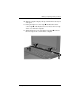
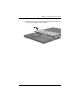
14. Turn the computer display-side up and open it completely.
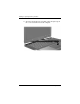
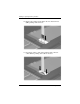
15. Lift the top edge of the keyboard 1 slightly to detach it from
the computer.
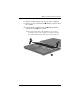
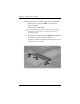
16. Lift the bottom edge of the keyboard 2 slightly until the
pointing stick cable 3 is accessible.
Ä
The pointing stick cable is still attached to its zero insertion
force (ZIF) connector in the computer. To protect the computer,
do not lift the keyboard more than about 2 inches (5.08 cm).