HP Compaq tc4400 Tablet PC- Getting Started - Enhanced for Accessibility Windows Vista
Manuals
Brands
HP Manuals
Tablet
HP Compaq tc4400 Base Model Tablet PC
11
12
13
14
15
16
17
18
19
20
F
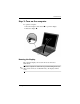
irst-time setup
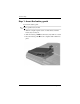
3.
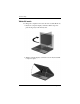
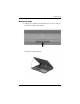
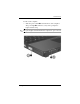
Rotate the computer display counterclockwise until it snaps
into place facing the k
eyboard.
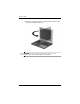
Ä
CAUTION:
T
o pre
vent a lack of r
esponse when y
ou turn on the
computer
, make sur
e the bat
tery pack is f
irmly s
eated.
1–10
Getting Started
1
...
...
16
17
18
19
20
...
...
72